Computer Science & Bootcamps · Updated June 2026
How to Use Git and Master Branching Workflows with AI Safely
Master Git branch structures, merge conflicts, rebase vs merge dynamics, and repository staging states using Socratic AI coaching to build software development workflows safely.
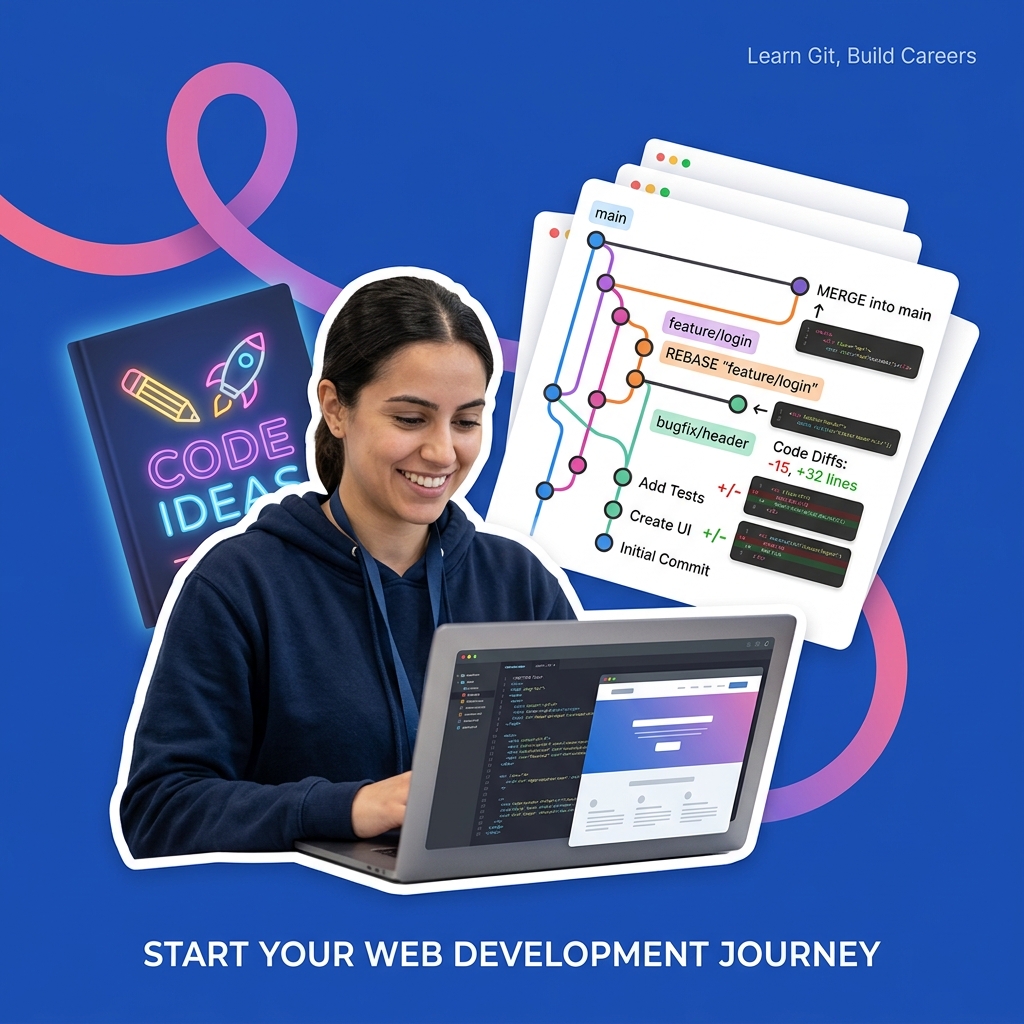
In software engineering, web development, and computer science, Git is the industry-standard distributed version control system used to track changes in source code during software development. It allows multiple developers to work on the same codebase simultaneously, maintaining separate histories and merging changes in a structured way.
Git organizes repository files into three main areas or states:
- Working Directory: The actual files on your local disk that you are currently editing.
- Staging Area (Index): A prep area where changes are marked to be included in the next commit (using
git add). - Local Repository (HEAD): The stored database of committed historical versions (using
git commit).
Developers use branches (isolated lines of development) to work on new features or bug fixes without affecting the stable main branch. When the work is complete, branches are integrated back into the main line using either:
- Git Merge: Combines the histories of two branches, creating a new "merge commit" that ties them together.
- Git Rebase: Rewrites the project history by moving the entire feature branch so it begins on the tip of the
mainbranch, resulting in a clean, linear commit history.
Because version control commands are abstract and merge conflicts can be intimidating, students and bootcamp attendees frequently ask AI models to write their Git commands or resolve their merge conflicts directly. However, letting AI copy-paste terminal commands or rewrite conflict markers prevents you from understanding the underlying Directed Acyclic Graph (DAG) structure of Git commits. This guide outlines a Socratic workflow to utilize AI as a Git and version control coach.
Step 1: Navigating Git Repository States Socraticly
Before running commands like git checkout, git reset, or git revert, you must understand which files reside in the working directory, the staging area, and the local commit history.
Use this Socratic prompt to check your understanding of Git states:
I am setting up a new repository and need to stage and commit modified files. Act as a Socratic computer science tutor. Do not write Git commands or explain the repository states directly. Ask me to describe the physical difference between the working directory, the staging area, and the local repository. Prompt me to explain how files move between these states when we edit, stage, and commit. Guide me.Step 2: Formulating Rebase vs. Merge Decisions Socraticly
Both merge and rebase serve the same purpose: integrating changes from one branch into another. However, they alter the commit history graph in fundamentally different ways. Understanding when to use each is crucial for team coordination and commit hygiene.
Using AI to decide whether to run git merge or git rebase prevents you from understanding how rewriting history affects other developers (the golden rule of rebasing: never rebase public branches).
Use this prompt to master branching integrations Socraticly:
I have a feature branch that is 3 commits behind main, and I want to integrate the latest updates from main. Act as a Socratic Git branching coach. Do not tell me whether to merge or rebase, and do not write the commands. Ask me to describe the visual difference in the commit history graph (the DAG) after a merge versus a rebase. Prompt me to explain the risks of using git rebase on a shared team branch. Guide me.Step 3: Resolving Merge Conflicts Socraticly
A merge conflict occurs when Git cannot automatically determine which changes to keep, usually because two developers modified the same line of the same file. Git pauses the merge and highlights the conflict using markers (<<<<<<< HEAD, =======, >>>>>>> branch-name).
Asking AI to write the final resolved code file for you prevents you from reading the conflict markers and understanding the human context of the competing changes.
Use this Socratic prompt to resolve conflicts:
I ran git merge and got a merge conflict in main.js. I see conflict markers in my code editor. Act as a Socratic software engineering coach. Do not write the code resolution or tell me which lines to delete. Ask me to explain what the markers "<<<<<<< HEAD", "=======", and ">>>>>>>" represent physically in terms of the branch histories. Prompt me to outline the steps I should take to manually choose the correct code, clean up the markers, and complete the merge commit. Guide me.
Rocketbook Smart Reusable Notebook
Eco-friendly, reusable physical notebook that digitizes and syncs your hand-written diagrams and notes directly to your favorite cloud storage for AI-assisted study.
AI Study Pilot receives a small commission from qualifying Amazon purchases at no extra cost to you.Common mistakes
Keep an eye out for these classic pitfalls when studying version control:
- Running
git reset --hardblindly: A hard reset deletes uncommitted changes in your working directory and staging area, making them unrecoverable. Students often ask AI to "fix their repository," and AI models regularly recommend hard resets without warning that all unsaved work will be wiped out. - Forgetting that Git tracks content, not files: Git tracks changes (snapshots of files), not files as individual entities. If you rename a file, Git detects this as a deletion and a new file addition, which must be staged correctly.
- Rewriting public commit history: Running
git push --forceafter a rebase replaces the remote history with your local rewritten history. If other team members have pulled the old history, their repositories will be severely broken. Ask AI: "Quiz me Socraticly on the dangers of git push --force and how the safer option git push --force-with-lease protects against overwriting other developers' work. Guide me."
FAQ
- What is the difference between git reset and git revert?
git resetmoves the current branch pointer backward in time, rewriting history (local only).git revertcreates a new commit that applies the exact opposite changes of a previous commit, preserving history (safe for public branches). Prompt: "Socraticly quiz me on the difference in repository history after running git reset versus git revert on a committed change. Guide me." - What is the "git reflog" and how can it save your code? Git reflog (reference log) records every time a branch tip is updated, allowing you to find lost commits even after deleting branches or running hard resets. Prompt: "Act as a Socratic Git expert. Quiz me on how to use git reflog to recover a branch that was deleted accidentally. Guide me."
- Why is a merge commit created in non-fast-forward merges? If the destination branch has commits that are not present in the source branch, Git cannot simply move the branch pointer forward (fast-forward); it must perform a three-way merge and record the integration point with a merge commit. Prompt: "Socraticly guide me to explain the geometric difference between a fast-forward merge and a three-way merge commit. Guide me."
Final recommendation
Git is a database of code snapshots structured as a tree. Do not delegate your branch merges, commit resets, or conflict resolutions to AI. Instead, draw your commit nodes on paper showing branch tags, verify the origin and destination of your merges, read the conflict markers carefully, and leverage Socratic AI sessions to audit your staging states, rebase boundaries, and reflog histories.
Disclosure: AI Study Pilot may add affiliate links later. We recommend free-first tools where possible and never promise guaranteed grades or outcomes.