Computer Science · Updated June 2026
How to Learn the OSI Model and Master Network Layer Protocols with AI Safely
Master the 7 OSI layers, TCP/IP protocol stack, data encapsulation (segments, packets, frames), and layer protocols using Socratic AI coaching safely.
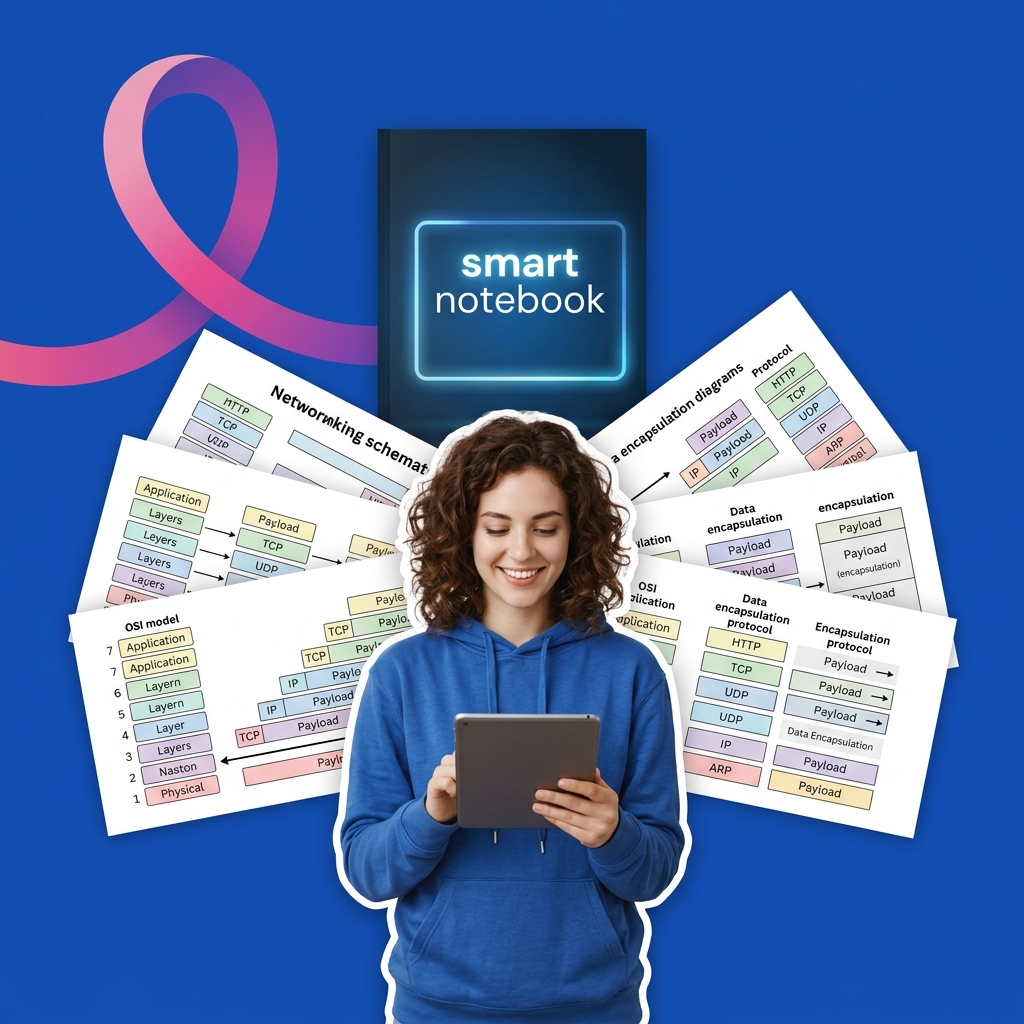
In computer networking and systems engineering, the OSI (Open Systems Interconnection) Model is the standardized conceptual framework used to describe how data is transmitted across a physical network. Developed by the International Organization for Standardization (ISO), the model partitions network communication into seven logical layers. Each layer serves the layer above it and is served by the layer below it, allowing different hardware and software systems to communicate seamlessly.
The seven layers of the OSI model, from top to bottom, are:
- Application Layer: User-facing interfaces and network services (e.g., HTTP, DNS, FTP).
- Presentation Layer: Data translation, encryption, and compression (e.g., SSL/TLS, JSON, JPEG).
- Session Layer: Establishing, managing, and terminating communication sessions between applications (e.g., NetBIOS, RPC).
- Transport Layer: End-to-end data transfer, flow control, and error recovery (e.g., TCP, UDP). Data here is called segments (TCP) or datagrams (UDP).
- Network Layer: Logical routing, addressing, and path determination (e.g., IP, ICMP, ARP). Data here is called packets.
- Data Link Layer: Physical addressing (MAC addresses) and error checking on the local medium (e.g., Ethernet, Wi-Fi). Data here is called frames.
- Physical Layer: The transmission of raw bitstreams over physical mediums (e.g., copper cables, fiber optics, radio waves). Data here is represented as bits.
Because memorizing the layers and their corresponding protocols can be challenging, students frequently ask AI models to list the layers, define encapsulation, or write configuration scripts directly. However, letting AI answer these conceptual mappings prevents you from understanding encapsulation (how headers are added as data travels down the stack) and decapsulation (how headers are parsed as data travels up), which are vital for troubleshooting real-world network routing and security issues. This guide outlines a Socratic workflow to utilize AI as a networking coach.
Step 1: Mapping Data Encapsulation Socraticly
As data travels from the sender's Application layer to the Physical layer, each layer prepends its own control information (headers) and sometimes appends trailers to the payload. This process is called encapsulation. At the receiving end, the reverse process, decapsulation, strips the headers layer-by-layer.
Using AI to solve header configurations or write packet traces directly deprives you of learning how protocols frame data and how routing tables parse packet headers.
Use this Socratic prompt to check your encapsulation logic:
I am tracing a web request (HTTP GET) as it travels down the OSI model from the browser to the network interface card. Act as a Socratic computer networking tutor. Do not list the headers or draw the packet structure. Ask me to identify the Protocol Data Unit (PDU) at the Transport, Network, and Data Link layers. Prompt me to explain what specific addresses (IP or MAC) are added at Layer 3 and Layer 2. Guide me.Step 2: Formulating TCP vs. UDP Protocol Logic Socraticly
At Layer 4 (Transport), the two dominant protocols are TCP (Transmission Control Protocol) and UDP (User Datagram Protocol). TCP is connection-oriented, reliable, and guarantees ordered delivery via a 3-way handshake, while UDP is connectionless, unreliable, and lightweight, making it optimal for streaming and gaming.
Allowing AI to choose protocols or configure sockets directly prevents you from understanding flow control, windowing, and congestion management.
Use this prompt to master Transport layer protocols Socraticly:
I am designing a real-time multiplayer video game that needs to transmit player position updates and chat messages. Act as a Socratic networking coach. Do not write socket code or choose the protocols for me. Ask me to compare TCP and UDP in terms of latency, packet loss handling, and protocol overhead. Prompt me to deduce which protocol is optimal for position updates versus chat messages. Guide me.Step 3: Auditing Address Resolution (ARP) Socraticly
At Layer 3 (Network), devices use logical IP addresses, but local physical delivery at Layer 2 (Data Link) requires physical MAC addresses. The Address Resolution Protocol (ARP) resolves IP addresses to MAC addresses on a local subnet.
Use this Socratic prompt to check your address mapping and ARP caching logic:
I am configuring a network where Host A wants to send a packet to Host B on the same local subnet. Host A knows Host B's IP address but does not have its MAC address in its local cache. Act as a Socratic computer networking tutor. Do not write out the ARP commands. Ask me to describe how Host A requests Host B's MAC address across the subnet (broadcast vs. unicast). Prompt me to explain how Host B responds. Guide me.
Rocketbook Smart Reusable Notebook
Eco-friendly, reusable physical notebook that digitizes and syncs your hand-written diagrams and notes directly to your favorite cloud storage for AI-assisted study.
AI Study Pilot receives a small commission from qualifying Amazon purchases at no extra cost to you.Common mistakes
Be on the lookout for these classic pitfalls when studying network layers:
- Confusing the OSI Model with the TCP/IP Suite: The OSI model is a theoretical 7-layer framework, while the practical internet uses the TCP/IP model (usually represented as 4 or 5 layers). Students often try to map Session and Presentation protocols to the TCP/IP model, which actually rolls these functions into the single Application layer. Ask AI: "Quiz me Socraticly on comparing the layers of the OSI model with the TCP/IP protocol suite. Guide me."
- Assuming Routers read MAC Addresses: Routers are Layer 3 devices; they route packets based on logical IP addresses. They strip the Layer 2 Ethernet frame header upon arrival, read the Layer 3 IP header, and encapsulate the packet in a new Layer 2 frame for the next hop. Students frequently assume MAC headers remain unchanged end-to-end.
- Ignoring Port Numbers during Routing: Port numbers are Layer 4 (Transport) addressing, used to direct data to specific applications. IP addresses are Layer 3 (Network), used to direct packets to host machines. A system needs both to deliver data to the correct application on the correct machine. Ask AI: "Socraticly quiz me on the difference between socket multiplexing, IP routing, and MAC switching. Guide me."
FAQ
- Why is the Presentation layer separate from the Application layer in the OSI model? The Presentation layer handles syntax and data representation (formatting), ensuring that data sent from the Application layer of one system can be read by the Application layer of another. For example, it translates EBCDIC to ASCII or compresses raw video to MPEG. Prompt: "Act as a Socratic data format expert. Quiz me on the distinct responsibilities of the Presentation layer versus the Application layer, and explain why they are merged in the TCP/IP model. Guide me."
- How does a Layer 2 switch differ from a Layer 3 router? A switch operates at Layer 2, forwarding frames within a local network using MAC addresses. A router operates at Layer 3, forwarding packets between different networks using IP addresses. Prompt: "Socraticly guide me to compare the header inspection and routing table lookup procedures in a switch versus a router. Guide me."
- What is the difference between TCP's flow control and congestion control? Flow control prevents the sender from overwhelming the receiver (using a sliding window based on the receiver's buffer space), while congestion control prevents the sender from overwhelming the network path (using algorithms like slow start and congestion avoidance). Prompt: "Quiz me Socraticly on TCP's sliding window algorithm, window advertisement, and how packet loss triggers congestion window adjustments. Guide me."
Final recommendation
The OSI model is the grammar of network communication. Do not delegate your packet traces, encapsulation maps, or socket logic to AI. Instead, draw your protocol stacks, track your header modifications at each hop manually, trace your socket handshakes, and use Socratic AI triggers to audit your routing tables, protocol choices, and packet framing limits.
Disclosure: AI Study Pilot may add affiliate links later. We recommend free-first tools where possible and never promise guaranteed grades or outcomes.