AI citation workflow · Updated May 2026
How to Cite ChatGPT and AI in APA, MLA, and Chicago
Learn when to cite or disclose AI use, what each major style expects, and how to keep a clean AI-use log for class.

Quick answer
- Check your course AI policy first.
- If AI use was not allowed, do not try to hide it with a citation.
- If AI generated words, images, data, code, or analysis that you used, plan to disclose or cite it.
- If AI only helped with brainstorming, outlining, grammar, or study planning, your class may still require an acknowledgment.
- Keep an AI-use log with the tool, date, model if visible, prompt purpose, output used, and what you changed.
Helpful official guidance
- APA Style Blog: How to cite ChatGPT
- MLA Style Center: How do I cite generative AI in MLA style?
- Chicago Manual of Style Q&A: citing AI-generated content
Because AI tools and style guidance can change, open the current official page before submitting an assignment.
Step 1: Ask whether AI was allowed
Citation is not permission. If your instructor says not to use AI for a certain task, adding a citation at the end does not make the use okay. Start with the course rule, then the assignment instructions, then the style guide.
You are my academic-integrity checklist assistant. Do not write my assignment. I will paste my course AI policy and assignment instructions. Turn them into a checklist of allowed uses, risky uses, prohibited uses, and questions I should ask my instructor.

Policy and instructions:
[paste allowed text]
Step 2: Decide what kind of AI use happened
Not every AI use has the same citation need. A grammar suggestion is different from a generated paragraph. A brainstorming chat is different from an image, table, code block, or explanation copied into your paper.
| AI use | Usually safest action |
|---|---|
| Brainstorming search terms | Mention only if your class asks for AI-use disclosure. |
| Outline help | Disclose if it shaped the structure of the submitted work. |
| Generated text copied or paraphrased | Cite or disclose according to required style. |
| Generated image, chart, data, or code | Cite, caption, or document according to assignment rules. |
| Source suggestions | Verify and cite the original sources you personally read. |
| Grammar or spelling support | Follow course policy; many classes treat this differently from content generation. |
Step 3: APA basics for students
APA's official guidance has treated ChatGPT output as something students may need to reference and document, especially when the AI output is important to the paper. In practice, many instructors want a note, appendix, or AI-use statement in addition to a reference entry.
- Record the tool and version/date information visible to you.
- Save the exact prompt and response if your instructor wants documentation.
- Use APA's current official example as the model, not a random citation generator.
- Do not ask AI to invent missing dates, model names, URLs, or source details.
Step 4: MLA basics for students
MLA's updated guidance says not to treat the AI tool as the author. Instead, the generated thing is described in the title element, the AI tool is the container, the model goes in the version element when available, the company is the publisher, the date is when the content was generated, and a stable share link is preferred when available.
Help me organize my AI-use log for an MLA-style assignment. Do not create a final citation yet. Ask me for the generated content description, tool name, model/version if visible, publisher/company, date generated, and shareable URL if available.Step 5: Chicago basics for students
Chicago's Q&A says you should credit ChatGPT or similar tools when you use generated text. For many papers, that can be an acknowledgment in the text. If a formal citation is needed, Chicago points students toward a numbered note or endnote. Chicago also warns that private chat links may not be publicly accessible, so they often should not go into a bibliography unless there is a publicly available link.
- Put AI-generated wording in your notes as generated wording, not as your own sentence.
- Tell the reader if you edited generated text in a meaningful way.
- Use a note or endnote when the assignment asks for formal Chicago documentation.
- Do not rely on private chat URLs as if every reader can open them.
Step 6: Cite original sources, not AI summaries
If AI points you to a journal article, book, dataset, website, or report, open the original source yourself. Read the relevant section. Then cite the original source if it actually supports your claim.
Do not cite an AI answer as a shortcut for sources you never opened. AI can summarize, misread, omit context, or invent details. Your bibliography should show the sources you personally used.
Copy-ready AI-use log
Assignment:
Instructor AI policy:
Tool used:
Model/version shown, if visible:
Date used:
Prompt purpose:
Exact prompt saved? yes/no
Output used in submitted work? none / ideas only / wording / image / code / data / other
What I changed in my own work:
Where I disclosed or cited it:
Questions to ask instructor: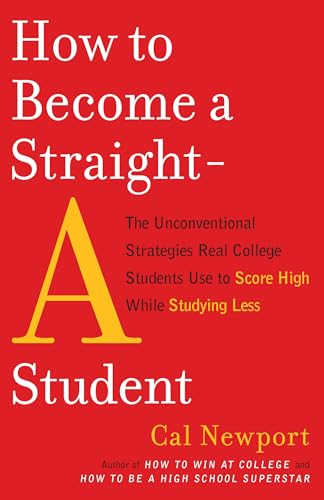
How to Become a Straight-A Student
A strategic study blueprint designed specifically for college students. Demystifies top performance and shows how to prepare for exams efficiently without cramming.
AI Study Pilot receives a small commission from qualifying Amazon purchases at no extra cost to you.Common mistakes
Mistake 1: Thinking citation makes prohibited use acceptable
If the course bans a use, citation does not fix it. Ask your instructor before submitting.
Mistake 2: Letting AI create citations from memory
AI citation examples can be outdated or wrong. Use the current official style page and your course rule.
Mistake 3: Citing an AI summary instead of the source
If your claim depends on a source, cite the source you read, not the AI assistant that mentioned it.
Mistake 4: Forgetting non-text AI output
Images, tables, charts, code, and generated data may also need citation, captioning, or disclosure.
FAQ
Do I always need to cite ChatGPT?
Not always. If AI only helped you plan your study schedule, your class may not need a formal citation. If AI-generated content appears in your submitted work, you should expect to cite or disclose it.
Should ChatGPT be listed as an author?
MLA says not to treat the AI tool as the author. Other styles handle this differently. Follow the required style and your instructor's policy.
Can I cite sources that AI recommended?
Only after opening and reading those sources yourself. If you cannot verify a source, remove it.
Final recommendation
Before submitting, do a three-part check: course policy, official style guidance, and your AI-use log. If any part is unclear, ask your instructor early instead of guessing the night before a deadline.
Disclosure: AI Study Pilot may add affiliate links later. We recommend free-first tools where possible and never promise guaranteed grades or outcomes.