Career outreach · Updated May 2026
How to Use AI to Draft Internship Outreach Emails: A Student Guide
Learn how to use AI to draft personalized cold outreach emails and LinkedIn messages for internships while keeping your authentic voice.
Finding a college internship requires more than just submitting resumes to job boards. Often, the most effective way to secure an interview is through direct networking—sending personalized cold outreach emails or LinkedIn messages to recruiters, alumni, or industry professionals.
AI tools like ChatGPT or Claude can help you overcome writer's block and draft clean, professional messages.
However, copy-pasting generic, AI-generated emails is a fast way to get ignored. Recruiters receive hundreds of outreach messages weekly and can quickly detect the robotic, overly formal tone of standard AI drafts. To stand out, you need to use AI to help you customize your outreach while preserving your unique, authentic human voice.
Internship outreach workflow with AI
- Research the contact: Find the professional's name, company, role, and a specific detail about their work (e.g., an article they wrote or a recent project).
- Draft a structured "no-boilerplate" prompt: Instruct the AI to avoid standard corporate greetings, emojis, and overly formal jargon.
- Customize your value proposition: Detail why you are reaching out to them specifically and what relevant student projects you have completed.
- Humanize the tone: Edit the output to match how you naturally speak and write. Keep the message under 150 words.
- Follow-up systematically: Use a simple tracker to schedule follow-ups 5 to 7 days later if you don't receive a reply.
Pitching yourself like a top student
In How to Become a Straight-A Student, Cal Newport highlights that successful career outreach is about building authentic professional relationships, not just transactional requests.
When you write to an industry professional, do not ask directly for an internship or job. Instead, ask for a short 10-minute informational interview to learn about their career path. This low-pressure approach shows you are genuinely interested in learning and makes them much more likely to offer guidance or refer you to open opportunities down the line.
Step 1 — Setup the "Authentic Voice" prompt
Standard AI prompts produce paragraphs filled with filler phrases like "I hope this email finds you well" or "I am writing to express my keen interest." Use this prompt to bypass the fluff and get straight to a clean, direct draft:
Act as a professional career coach. Write a draft for a cold outreach email from a college student seeking a 10-minute informational interview.

Use these inputs:
- My major/background: [e.g., Junior CS student at State College]
- Recipient name: [Name]
- Recipient role/company: [e.g., Software Engineer at TechCorp]
- Specific connection point: [e.g., I read their recent blog post on database scaling]
- My project focus: [e.g., Built a custom database indexer in Go]

Follow these constraints:
1. Do not use generic filler opening sentences (like "I hope this email finds you well" or "My name is..."). Start directly.
2. Keep the total length under 120 words.
3. Keep the tone professional but warm, direct, and conversational (avoid robotic or overly corporate language).
4. Do not ask for a job; ask for a brief 10-minute chat about their career path.
This prompt generates a concise message that respects the recipient's time and focuses on building a relationship.
Step 2 — Refine the email body
Review the generated draft and replace generic adjectives with specific details of your work. Ensure the call to action is simple and low-friction:
Would you be open to a brief 10-minute phone call next week to share one or two pieces of advice for a student entering the industry? I know you are busy, and I appreciate any time you can spare.Step 3 — Draft a matching LinkedIn message
LinkedIn character limits require an even tighter message. Ask the AI to condense the email draft into a short connection request:
Condense the email draft above into a LinkedIn connection request under 300 characters. Keep it friendly and mention the specific connection point.Common outreach mistakes to avoid
* Mass emailing: Sending the same email template to 50 recruiters is ineffective. It is much better to send 5 highly tailored, deeply researched emails per week.
* Vague requests: Avoid asking to "pick their brain." Instead, ask for a specific, timed commitment like a "10-minute informational phone call."
* Forgetting to spell-check names: Double-check the spelling of the recipient's name and company. A simple typo in the greeting is an immediate rejection indicator.
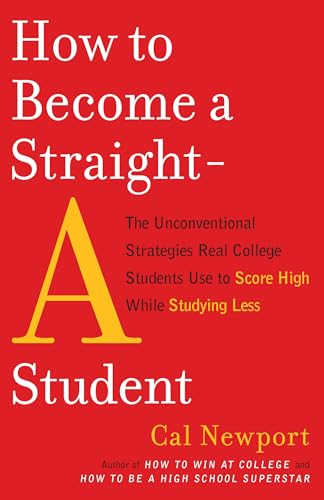
How to Become a Straight-A Student
A strategic study blueprint designed specifically for college students. Demystifies top performance and shows how to prepare for exams efficiently without cramming.
AI Study Pilot receives a small commission from qualifying Amazon purchases at no extra cost to you.Disclosure: AI Study Pilot may add affiliate links later. We recommend free-first tools where possible and never promise guaranteed grades or outcomes.