AI finals workflow · Updated May 2026
AI Study Plan Generator for Finals: A Safe 7-Day Workflow
Students often open an AI tool the night before finals and ask for a perfect study schedule. A better approach is to use AI as a planning coach: you provide the constraints, the tool helps organize the week, and you do the studying.

Quick answer
- List every exam, deadline, topic, and allowed study resource.
- Ask AI to turn that list into a realistic calendar with short study blocks.
- Spend most blocks on active recall, practice problems, self-quizzing, and error review.
- Adjust the plan every day based on what you actually missed.
The goal is not to make AI predict the exam. The goal is to stop guessing what to do next.
Why this works better than a generic schedule
University learning-center guidance commonly recommends spacing study over time, testing yourself, explaining ideas in your own words, and avoiding last-minute rereading as the main strategy. The University of North Carolina Learning Center emphasizes planning, active studying, self-testing, and distributed practice. The American Psychological Association has also highlighted research showing that retrieval practice and spacing can improve learning more than passive review.
That matters for AI use because many student prompts accidentally create passive plans: “summarize everything,” “tell me what to memorize,” or “make a study guide.” Those can feel productive without proving you can recall or apply anything. A stronger prompt tells AI to schedule practice, reflection, and error correction.
Helpful sources behind this workflow
- University of North Carolina Learning Center: Studying 101
- American Psychological Association: learning and memory article
Step 1 — Make a finals inventory before asking AI
Open a blank document and write the facts first. Include exam dates, classes ranked by urgency, topics included on each exam, weak areas, allowed materials, blocked time, and the format of each exam if you know it.
This inventory keeps the AI from inventing a schedule around impossible assumptions.
Step 2 — Use a planning prompt that protects your integrity
You are my study planning coach. Do not do graded work for me and do not predict exact exam questions. Help me build a realistic finals study plan from the information below.

Classes and exam dates:
[paste list]

Topics I need to review:
[paste list]

Weak areas:
[paste list]

Allowed study materials:
[paste list]

Available study times:
[paste realistic blocks]

Build a 7-day plan with 45- to 60-minute study blocks. For each block, include the topic, the study method, and a quick self-check. Prioritize active recall, practice, spaced review, and error correction. Leave breaks and sleep protected.
If you only have three days, change “7-day plan” to “3-day emergency plan” and ask the tool to prioritize the highest-impact topics rather than trying to cover everything.
Outside of finals crunch, the same approach works for your normal term — see our guide to building a personalized weekly study schedule with AI to keep studying spaced and consistent all semester.
Step 3 — Turn the AI schedule into active study blocks
A good finals plan should not say only “review biology” or “study history.” Ask for methods that force recall.
Rewrite any passive blocks in this plan. Replace “read,” “review,” or “summarize” blocks with active tasks such as blank-page recall, practice questions, explaining a process out loud, solving similar problems, building a concept map, or correcting an error log.| Passive block | Better active block |
|---|---|
| Review Chapter 6 | Close notes and write everything remembered about Chapter 6, then check notes for gaps. |
| Study chemistry problems | Solve 8 mixed problems without looking at examples, then label each mistake by type. |
| Read essay notes | Outline 2 possible essay answers from memory, then compare with the rubric and readings. |
| Memorize terms | Create recall questions and test until missed terms can be explained in your own words. |
Step 4 — Build a daily error log
AI can help you organize mistakes, but you should supply the mistakes from your own practice.
Here is my error log from today’s practice. Help me group these mistakes by cause: concept gap, careless error, formula/method confusion, weak evidence, vocabulary, time management, or unclear reasoning. Then suggest what I should practice tomorrow. Do not add facts I did not provide.

[paste your own missed-question notes, not restricted exam content]| Date | Class | What I missed | Why I missed it | Next action |
|---|---|---|---|---|
| Monday | Biology | Could not explain meiosis crossing over | Process steps were memorized but not connected | Draw steps from memory and explain each one |
| Monday | Algebra | Lost sign when solving inequalities | Careless error under time pressure | Solve 10 timed inequalities and check signs |
Step 5 — Use AI for practice, not answer replacement
Create 10 practice questions from these notes that test understanding, not memorization only. Ask one question at a time. Wait for my answer before giving feedback. If I am wrong, give a hint first, then explain the concept.Give me a similar practice problem to this one, using different numbers and context. Do not solve it until I try first. After my attempt, point out the first step where my reasoning goes wrong.Avoid prompts like “answer this homework,” “write my essay,” “solve this graded worksheet,” or “tell me what will be on the test.” Those move away from learning support.
Step 6 — Use this 7-day finals template
Day 7: Set up and diagnose
Gather exam dates, topics, rubrics, notes, and allowed practice materials. Make the AI planning prompt, take a short diagnostic quiz or blank-page recall for each class, and pick the top three weak areas per class.
Day 6: Rebuild foundations
Review the weakest foundational concepts, explain each concept without notes, ask AI for similar practice or concept-check questions, and start an error log.
Day 5: Practice by topic
Do focused practice for one topic at a time. Compare your attempt with notes, examples, or official solutions if allowed. Ask AI to help classify mistakes, not erase them.
Day 4: Mix topics
Use mixed practice so your brain has to choose the method. Add short recall sessions for older topics and update your schedule based on missed items.
Day 3: Simulate exam conditions
Do a timed practice set, outline, or self-quiz. Turn off notes for the first attempt, then review mistakes slowly afterward.
Day 2: Target remaining weak spots
Spend most time on the few mistakes that still repeat. Make a one-page personal review sheet and protect sleep.
Day 1: Light review and confidence checks
Do short recall, review formulas or process steps, pack materials, check exam time and location, and stop early enough to sleep.
3-day emergency version
I have 3 days before my exam. Help me triage. Based on the topics and weak areas below, create a plan that focuses on high-value review, active recall, and practice. Mark anything low priority that I should only review if time remains. Do not suggest all-night cramming.Use the three days like this: diagnose weak areas, practice under realistic conditions, then fix repeating mistakes and do light recall.
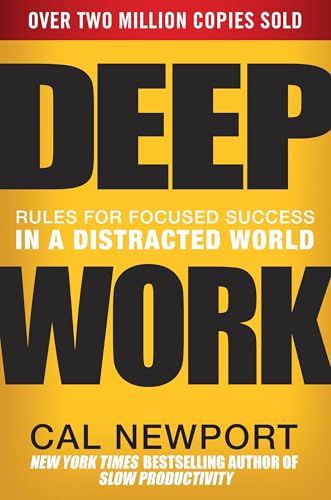
Deep Work: Rules for Focused Success in a Distracted World
Cal Newport's guide on cultivating intense, distraction-free concentration. Essential reading for students looking to master difficult subjects in less time.
AI Study Pilot receives a small commission from qualifying Amazon purchases at no extra cost to you.Common mistakes
Mistake 1: Letting AI make an impossible schedule
If you normally cannot study for six focused hours after work, do not accept a six-hour plan. Ask for shorter blocks and recovery time.
Mistake 2: Counting summaries as studying
Summaries help you preview, but finals usually require recall, explanation, application, or problem solving. Add self-testing.
Mistake 3: Uploading material you are not allowed to share
If a syllabus, platform, or instructor says not to share course materials with outside tools, follow that rule. Use general topic names instead.
Mistake 4: Studying only your favorite class
Ask AI to allocate time by exam date, difficulty, grade impact, and weak areas, not just preference.
Mistake 5: Ignoring sleep
A plan that destroys sleep may feel serious but often makes recall and attention worse. Protect sleep in the schedule.
FAQ
Can AI make my finals study plan?
AI can help organize a plan from your deadlines, topics, and weak areas. You still need to check the plan, follow class rules, and do the actual practice.
Is it cheating to use AI to study for finals?
Usually, using AI for planning, practice, explanations, and self-quizzing is different from using it to complete graded work. However, your school or instructor policy comes first.
What if my professor bans AI?
Follow that policy. You can still use non-AI methods: calendar planning, active recall, practice sets, office hours, tutoring, and study groups.
Should I paste my study guide into AI?
Only if your class and school allow it and the material does not contain private or restricted content. When unsure, use topic names instead of uploading files.
Can AI predict exam questions?
Do not rely on AI to predict exact questions. Use it to practice concepts and skills that your instructor has already listed.
Final recommendation
Use AI as a study-planning coach, not a shortcut. The best finals plan protects your time, turns weak areas into practice, and updates every day based on what you can actually recall.