Tool guide · Citations
Best AI Citation Tools for Students: Source-Checking Workflow First
Choose AI citation tools safely with a source-first workflow. Learn what to verify before trusting formatted references or AI-generated source suggestions.
Quick answer
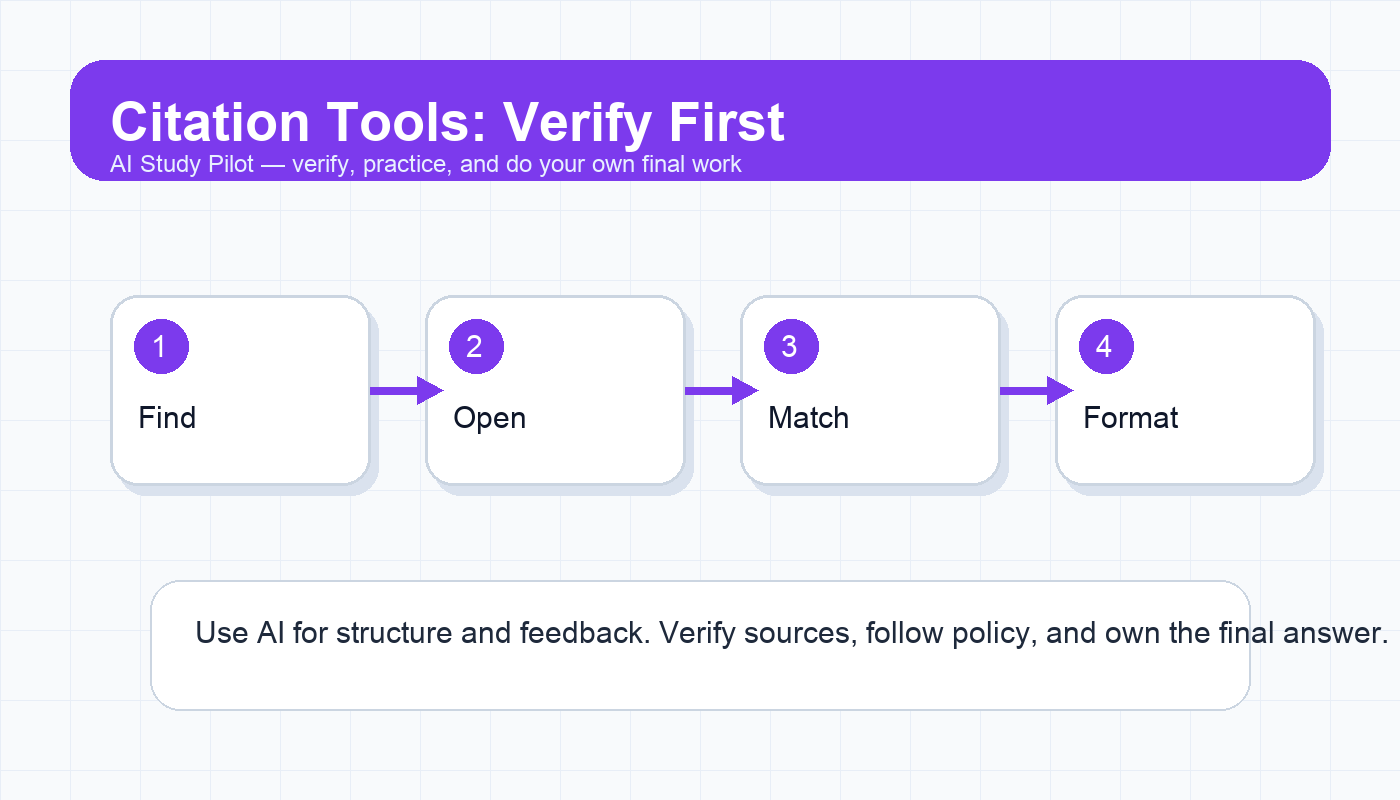
The best AI citation tool is the one that helps you manage real sources you have opened, read, and verified. Do not trust AI-generated citations just because they look formatted. Use tools for organizing references, checking style, finding missing metadata, and spotting possible source issues. Always confirm that the source exists, the quote or claim is actually supported, and the final citation matches your required style.
This guide is free-first and conservative. It does not claim that any tool is perfect, does not invent prices or plan limits, and does not rank products based on fake hands-on testing. For the full safety process, use the AI citation audit checklist, AI research tools for citations, and the hallucination checklist.
What citation tools can safely help with
Citation work has two separate jobs. The first is source judgment: deciding whether a source exists, is credible, and supports your claim. The second is formatting: putting the source into APA, MLA, Chicago, IEEE, or another required style. AI tools can help with the second job and can assist with the first, but they should not replace your judgment.
A safe citation workflow starts with real sources. Open the article, book, report, case, dataset, or webpage yourself. Save the URL, DOI, title, author, publication, date, and page number if relevant. Then use a citation tool to organize or format that information. If a chatbot suggests a source you cannot find, treat it as unverified until proven real.
Free-first tool categories
- Tool type: Library databases · Best for: Finding assigned or scholarly sources · What to verify: Access, relevance, publication details
- Tool type: Google Scholar or publisher pages · Best for: Confirming existence and metadata · What to verify: Exact title, authors, year, DOI
- Tool type: Zotero-style reference managers · Best for: Saving sources and building bibliographies · What to verify: Imported metadata and attachment accuracy
- Tool type: Citation generators · Best for: Formatting a known source · What to verify: Style rules, capitalization, dates, URLs
- Tool type: AI chat tools · Best for: Explaining citation rules or creating checklists · What to verify: Never trust invented source details
Copy-ready prompt: citation risk scan
Act as a citation risk checker. Do not invent sources. I will paste my working bibliography and a few claims from my paper.

Citation style required:
[APA/MLA/Chicago/other]

Bibliography:
[paste references]

Claims that need support:
[paste 3-8 claims]

For each source or claim, identify:
1. Metadata that looks incomplete or suspicious.
2. Claims that need a page number, quotation check, or stronger source.
3. Any reference that may not support the claim attached to it.
4. Formatting issues to verify in the official style guide.

Do not create replacement citations. Give me a human verification checklist.
A safer choosing framework
Instead of asking “Which citation tool is best?” ask “Where can this tool fail?” Citation tools fail in different ways. A reference manager may import a title in all caps. A citation generator may mis-handle edition, translator, access date, or container. A chatbot may produce a citation that looks real but does not exist. A search tool may find a related source but not the one that supports your exact claim.
Choose the tool based on the bottleneck:
- If you have many PDFs, use a reference manager to organize them.
- If you need to understand a citation style, use AI to explain the rule and then check the official guide.
- If you need sources, start with library databases and credible search tools, not a chatbot bibliography.
- If you need final formatting, use a generator only after confirming the source details.
The four-check workflow
1. Existence check
Open the source. Do not rely on a title in a chatbot answer. Confirm the author, title, publication, year, and DOI or stable URL if available. If you cannot locate the source through your library, publisher, Google Scholar, or a credible index, do not cite it.
2. Support check
A source can be real and still not support your sentence. Open the relevant page or section. Does the author actually make that claim? Is the quote exact? Is the data from the same population, date range, or context you describe? This is where students catch many accidental miscitations.
3. Style check
Citation styles are detailed. AI can explain the pattern, but your instructor may require a specific edition or local rule. Check capitalization, italics, container names, page ranges, access dates, and hanging indents. For high-stakes papers, compare against your official style guide or writing center materials.
4. Integrity check
Ask whether the citation is being used honestly. Are you citing a source you actually read? Are you using a citation to decorate a weak claim? Are you quoting out of context? If the answer is uncomfortable, revise the sentence or find a better source.
Tool page affiliate note
AI Study Pilot may earn from affiliate links if some tools add approved programs later. Recommendations here are still free-first and verification-first. Do not pay for a tool until you know your school’s library resources, citation requirements, and privacy rules.
Common mistakes
- Letting AI create a bibliography from memory.
- Citing a source because the title sounds relevant without opening it.
- Forgetting page numbers for direct quotes or close paraphrases.
- Assuming a generated APA/MLA citation is correct because the punctuation looks formal.
- Using too many weak sources instead of fewer sources that clearly support the argument.
A simple weekly citation habit
If you are writing a paper over multiple weeks, do citation cleanup once per week instead of leaving it all for the night before submission. Open your working bibliography, remove sources you did not actually use, and add one sentence under each remaining source explaining how it supports your argument. This makes weak sources obvious early. It also prevents the common deadline mistake where students cite everything they collected rather than the smaller set of sources that truly shaped the paper.
For longer projects, keep a three-column source log: source, claim it supports, and verification status. The verification status can be “opened,” “quote checked,” “metadata checked,” or “not using.” AI can help format this log from your notes, but you should decide whether each source belongs in the final bibliography.
Final recommendation
Use AI and citation tools as assistants, not authorities. The winning workflow is simple: find real sources, open them, match claims to evidence, then format. If a tool saves time but weakens verification, it is not helping your grade or your integrity.
Disclosure: AI Study Pilot may add affiliate links later. We recommend free-first tools where possible and never promise guaranteed grades or outcomes.