Tool guide · Planning
Best AI Study Planner Tools for Students: Free-First Choosing Guide
A free-first guide to choosing AI study planner tools without fake rankings: match calendars, task managers, chatbots, and school systems to your real study workflow.
Quick answer
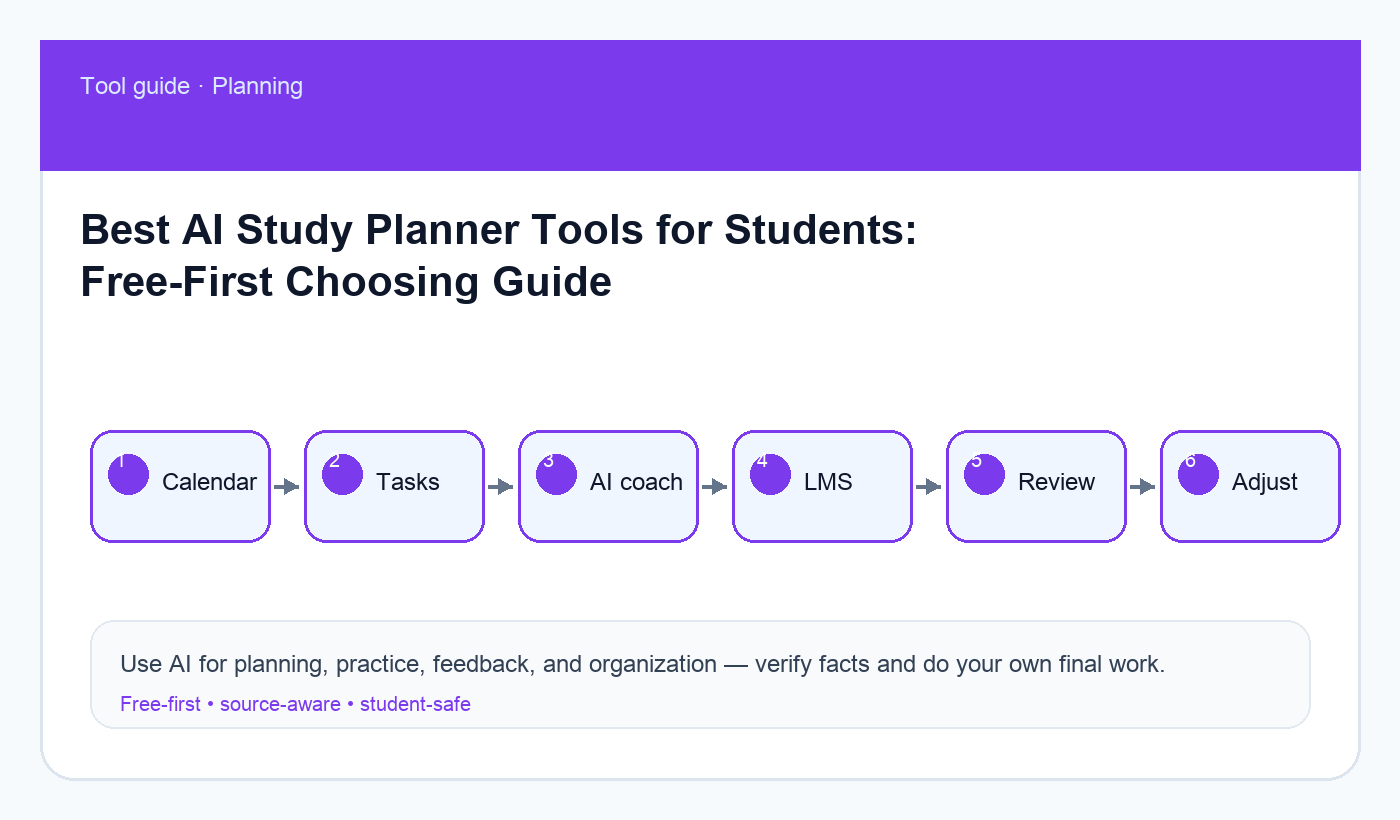
The best AI study planner tool is usually not one magic app. For most students, the strongest free-first setup is a calendar for fixed commitments, a task manager for assignments, your school LMS for official due dates, and an AI chat tool for turning messy workload into realistic study blocks. Choose tools based on whether they help you plan, remember, prioritize, and review—not on marketing claims.
This guide avoids fake hands-on rankings and current price claims. Plans and features change, so verify details on each tool’s official site before relying on them. If you want the workflow first, start with building a weekly study schedule with AI, organizing a semester syllabus with AI, and the AI weekly review routine.
What a study planner actually needs to do
A student planner has four jobs: capture deadlines, protect time, choose what matters next, and help you recover when the week changes. AI is useful for turning a syllabus into tasks, breaking big projects into smaller steps, and suggesting a realistic order. It is less reliable as the single source of truth for official due dates. Your LMS, syllabus, and instructor announcements still win.
The goal is not to create the prettiest dashboard. It is to reduce missed deadlines and make studying visible. If your system takes more time to maintain than it saves, simplify it.
Free-first tool categories
- Tool category: Calendar · Best for: Classes, work, commute, exams, study blocks · Watch out for: Overpacking every hour
- Tool category: Task manager · Best for: Assignments, subtasks, recurring review · Watch out for: Duplicating LMS data incorrectly
- Tool category: School LMS · Best for: Official deadlines and files · Watch out for: Notifications may be noisy or incomplete
- Tool category: AI chat assistant · Best for: Breaking work into steps and schedules · Watch out for: It can invent dates if you do not provide them
- Tool category: Notes app · Best for: Weekly review and planning notes · Watch out for: Becoming a dumping ground
A simple choosing framework
Start with your bottleneck. If you miss deadlines, improve capture. If you know deadlines but procrastinate, improve task breakdown. If you study but forget material, add review blocks. If group projects overwhelm you, add shared task tracking. The best tool depends on the pain.
Avoid switching tools every week. A boring system you trust beats a beautiful system you abandon. Pick one calendar, one task list, and one place for weekly review. Use AI as the planning assistant that helps you update those tools, not as a secret calendar that only exists in a chat thread.
Copy-ready prompt: choose my planning stack
Act as a practical student productivity coach. Do not recommend paid upgrades unless there is a clear reason and I can verify the current price myself.

My situation:
- Classes:
- Work/commute/family commitments:
- Biggest planning problem:
- Tools I already use:
- Upcoming deadlines:

Recommend a simple study planning stack with:
1. One calendar role.
2. One task-list role.
3. One weekly review habit.
4. How AI should help without becoming the source of truth.
5. A 7-day setup plan.

Keep it free-first and realistic for a student schedule.
Workflow: from syllabus to weekly plan
First, collect the official dates. Use your syllabus and LMS as the source. If you paste dates into AI, tell it to preserve exact wording and flag anything unclear. Then ask it to group deadlines by week and identify heavy weeks. Finally, move the actual dates into your calendar or task manager yourself.
For large assignments, ask AI to split the work into milestones: choose topic, gather sources, outline, draft, revise, cite, submit. Add buffers. Students often plan only the writing day and forget reading, source checking, or professor feedback.
Tool fit examples
If you already live in Google Calendar, use it for fixed study blocks and exam countdowns. If you prefer Apple Calendar, the same rule applies. If your school uses Canvas, Blackboard, Moodle, or another LMS, treat it as the official assignment reference. If you use Notion, Todoist, Microsoft To Do, Google Tasks, or a notes app, keep the structure small enough to maintain.
AI chat tools can help you translate the mess: “Here are my deadlines and available hours; build a draft plan.” But the plan should end in a calendar or task list you check daily. A chat transcript is too easy to forget.
Privacy and policy cautions
Do not paste grades, private instructor comments, student IDs, medical details, or sensitive work information into a planning tool unless you understand the privacy settings. You can replace details with labels: “Biology exam,” “essay,” “work shift.” For more, use the AI privacy checklist.
Common mistakes
- Letting AI invent due dates from a syllabus summary.
- Building a complex dashboard before building a daily habit.
- Planning every minute and leaving no buffer.
- Keeping assignments in three places with conflicting dates.
- Ignoring review blocks until the week of the exam.
Setup checklist for the first week
Use the first week to test the system, not perfect it. Add every fixed class, work shift, commute, exam, and major deadline to your calendar. Put assignments into one task list with verbs: read chapter, draft intro, solve problem set, review flashcards. Create one recurring weekly review block, even if it is only twenty minutes.
At the end of each day, ask: did I know what to do next? If not, the system needs clearer tasks. Did I ignore the plan? If yes, the blocks may be too long or too ambitious. Did I miss an official update? If yes, the LMS check needs to become part of the routine.
When a paid feature might be worth considering
Most students should start free. A paid feature may be worth reviewing only when you can name the exact bottleneck it solves: calendar sync across devices, reminders you actually receive, collaboration for a group project, recurring tasks, or better search across notes. Even then, check current pricing, student discounts, export options, and cancellation rules on the official site.
Do not pay for a planning tool because you feel behind. First prove that the simple workflow works for two weeks. If the free version cannot handle your real schedule, then compare upgrades carefully.
Final recommendation
Use a free-first stack: official LMS for truth, calendar for time, task list for next actions, AI for breaking down and reviewing the plan. Upgrade tools only after a simple system is already working and the paid feature solves a real bottleneck.
Disclosure: AI Study Pilot may add affiliate links later. We recommend free-first tools where possible and never promise guaranteed grades or outcomes.