AI privacy · Updated May 2026
AI Privacy Checklist for Students: What to Check Before Uploading Class Materials
AI study tools can summarize notes, explain readings, and turn class materials into practice questions. Before you paste or upload anything, use this checklist to protect your privacy, your classmates, and your academic integrity.

Introduction
Students often think of AI privacy as a tech issue, but it is also a school issue. A file can contain your name, a classmate’s comment, an instructor’s unpublished material, a patient case, a workplace example, research data, or an assessment answer key. Once you paste that file into an AI tool, you may lose control over where the information goes or how long it remains available inside that service.
This does not mean students should avoid every AI study tool. It means the safest workflow is to pause before uploading, remove unnecessary personal details, and choose the smallest useful amount of information for the task.
Quick answer: the 10-second upload test
Before using any AI tool with class material, ask three questions:
- Permission: Am I allowed to use this material with an AI tool for this class?
- Privacy: Does it include private information about me, classmates, patients, clients, research subjects, a workplace, or a school account?
- Necessity: Can I get the same study help by using a shorter excerpt, my own summary, or anonymized notes?
If any answer makes you hesitate, do not upload the original file. Use a safer version or ask your instructor.
What counts as sensitive student material?
Sensitive material is not only passwords or Social Security numbers. In a school setting, sensitive material can include:
- Names, emails, student ID numbers, grades, feedback, or attendance details.
- Private discussion posts, peer reviews, group project messages, or class chat logs.
- Unreleased quizzes, exams, answer keys, grading rubrics, or instructor-only files.
- Patient, client, lab, workplace, legal, counseling, or research-subject information.
- Copyrighted course packs, textbook chapters, paid materials, or documents with sharing limits.
- Your own unpublished essay draft if your class policy limits AI writing support.
When in doubt, treat course files as restricted until you know the rule.
A practical AI upload decision workflow
Step 1 — Read the class AI policy first
Look for AI rules in the syllabus, assignment sheet, learning management system, or department policy. Some classes allow AI for brainstorming or review but not for graded writing. Others allow AI only when disclosed. A privacy-safe upload can still be an academic-integrity problem if the assignment forbids it.
Write down the allowed use in plain language before you start. For example: “AI may help me make practice questions from my own notes, but it may not write the lab report.”
Step 2 — Choose the smallest useful input
Students often upload a whole PDF when they only need help with two paragraphs. Smaller inputs reduce privacy risk and usually produce better answers.
Safer options include:
- Paste only the paragraph you are allowed to study.
- Write your own short summary of the source instead of uploading the full file.
- Use bullet-point notes that remove names and identifying details.
- Ask for a general explanation of a concept without uploading course files.
Step 3 — Remove personal and identifying details
Before pasting notes into an AI tool, scan for details that identify real people or organizations. Replace them with neutral labels.
| Original detail | Safer version |
|---|---|
| Maria Johnson, student ID 4819, missed three labs | Student A missed several labs |
| Client at Oak Hill Clinic | Client at a clinic |
| My employer’s sales numbers | A company’s sample sales numbers |
| Classmate’s peer review comment | A peer comment |
Anonymizing is not perfect, especially with unusual details, but it is safer than pasting raw personal information.
Step 4 — Keep exams, answer keys, and restricted files out
Do not upload unreleased exams, live quizzes, answer keys, instructor-only documents, or files your teacher marked as not for sharing. Using AI on restricted assessment material can create both privacy and academic-integrity problems.
If you want exam practice, use your own notes and ask the AI to create new practice questions that do not copy a real test.
Step 5 — Check tool settings and account context
AI tools change their privacy controls and account options over time. Before using a tool for school, check the current settings page and help documentation for data use, chat history, file storage, training controls, sharing links, and deletion options. Do not rely on a screenshot or old tutorial when a tool’s policy may have changed.
Also be careful with school-managed accounts. Your institution may have its own rules, logging, retention, or approved-tool list.
Copyable safe prompts
Use your own notes without private details
I am studying from my own anonymized notes below. Help me understand the concepts, but do not create final submitted work. First, list the key ideas, then quiz me one question at a time.

Notes:
[paste anonymized notes]
Ask without uploading a file
Explain [concept] at an introductory college level. Use a simple example, then give me 5 practice questions. Do not assume any details from my class materials.Turn a summary into practice
Here is my own short summary of a reading. Create 8 active-recall questions that test understanding. Do not add facts that are not in my summary unless you clearly label them as general background.

Summary:
[paste your summary]
Privacy check prompt
Before helping me study, review the text below for possible privacy concerns. Flag names, IDs, grades, confidential details, restricted assessment material, and anything I should remove before using an AI tool.

Text:
[paste a small excerpt]
Common mistakes to avoid
Mistake 1: Uploading a full folder because it is convenient
Convenient is not the same as necessary. Start with the minimum information needed for the study task.
Mistake 2: Forgetting classmates’ privacy
Group notes, peer reviews, discussion boards, and project chats can include other students’ information. Remove names and identifying details before using them.
Mistake 3: Treating “source-grounded” as “risk-free”
A tool that answers from uploaded sources can still store files, generate mistaken summaries, or expose sensitive details if you share the output carelessly.
Mistake 4: Using AI settings once and never checking again
Settings and policies change. Recheck privacy controls when a tool updates, when you use a new account, or when the material is more sensitive than usual.
Mistake 5: Uploading copyrighted or restricted course material without permission
If your course pack, textbook excerpt, or instructor file has sharing limits, do not paste it into an AI tool unless you know it is allowed.
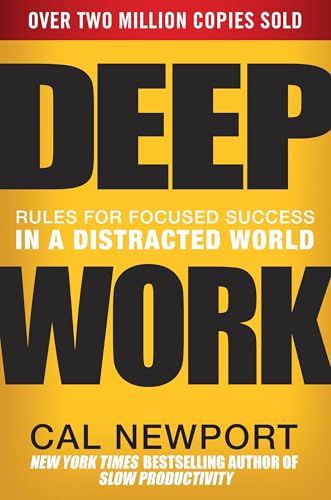
Deep Work: Rules for Focused Success in a Distracted World
Cal Newport's guide on cultivating intense, distraction-free concentration. Essential reading for students looking to master difficult subjects in less time.
AI Study Pilot receives a small commission from qualifying Amazon purchases at no extra cost to you.FAQ
Can I upload my class notes to AI?
Often, your own notes are safer than instructor files, but you should still remove private details and follow your class policy. If your notes include classmates’ names, grades, patient details, or restricted material, do not upload them as-is.
Is it safe to upload PDFs from class?
It depends on the PDF and your course rules. Assigned public articles may be different from paid textbook chapters, restricted slides, or unpublished instructor materials. Use the smallest allowed excerpt when possible.
Can AI help me study without uploading anything?
Yes. You can ask for general explanations, practice questions, study schedules, flashcard formats, and feedback on your own anonymized summaries without uploading original files.
Should I disclose AI use?
Follow your school and instructor requirements. If disclosure is required, state how you used AI honestly, such as “I used an AI tool to generate practice questions from my own notes.”
What should I do if I accidentally uploaded sensitive information?
Stop using that chat, delete the file or conversation if the tool allows it, check the tool’s help documentation, and follow your school’s guidance if the information involved classmates, patients, clients, research data, or restricted materials.
Final recommendation
The safest AI study workflow is simple: check permission, remove private details, use the smallest useful input, avoid restricted assessment material, and keep final learning responsibility with yourself. A careful privacy habit protects you and makes AI a better study partner.