Flagship guide · Safe AI use
AI Study Safety Checklist Before You Submit Anything
A practical pre-submit checklist for using AI honestly: check policy, privacy, sources, citations, hallucinations, and your own final reasoning.
Quick answer
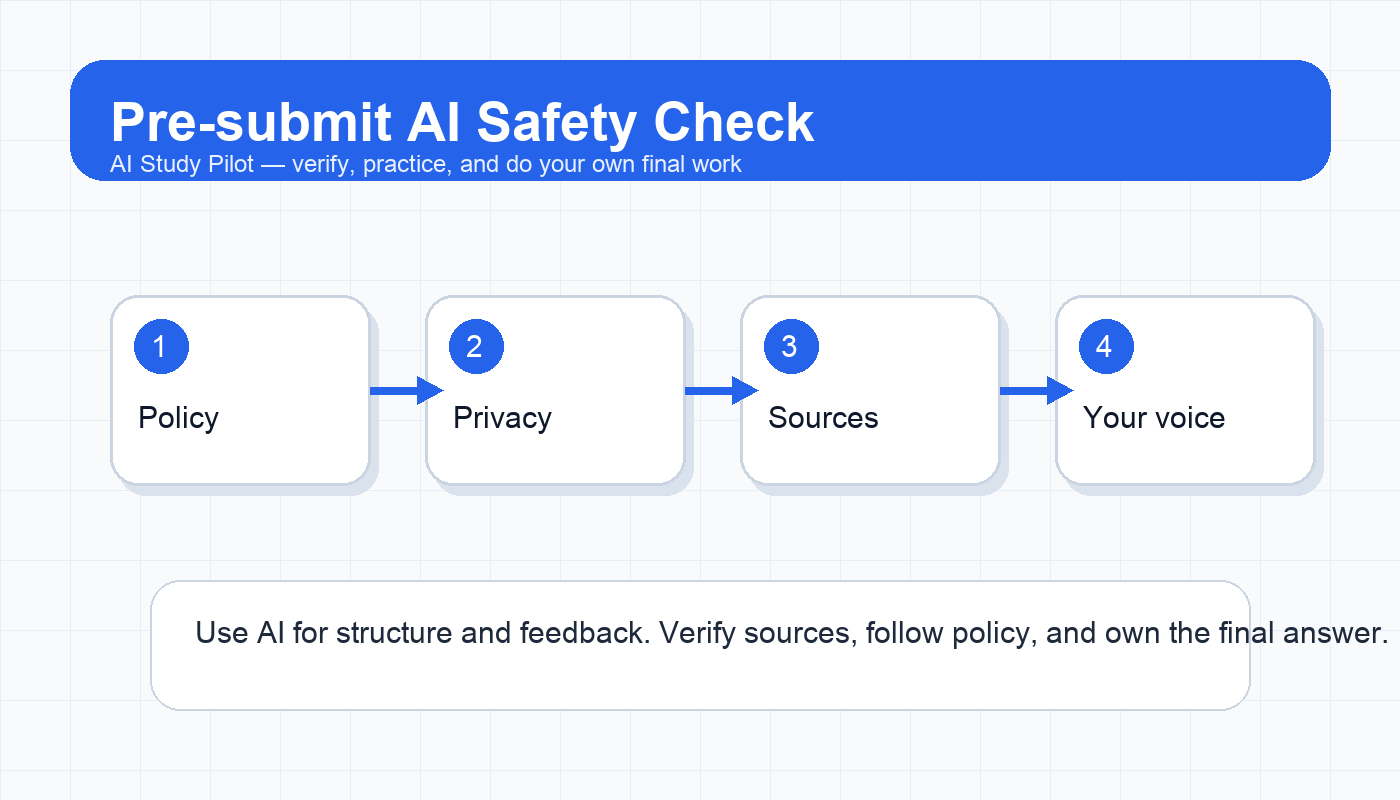
Before you submit any assignment touched by AI, run five checks: confirm your course policy allows the kind of help you used, remove private or sensitive information from prompts, verify every factual claim against a real source, cite AI or sources when your instructor requires it, and rewrite the final answer in your own reasoning and voice. AI can be a study coach, organizer, practice partner, and feedback tool. It should not become a hidden author, a shortcut around required work, or a source you trust without checking.
This checklist connects closely with Is it cheating to use AI for schoolwork?, the AI privacy checklist, and the AI hallucination checklist. Use those deeper guides whenever a step below raises a red flag.
Why students need a pre-submit check
Most AI mistakes happen late. A student asks for help organizing notes, accepts a confident summary, copies a sentence that sounds polished, or forgets to check whether the tool invented a citation. The intent may be honest, but the final submission can still contain problems: unsupported claims, too much AI-written wording, private data, missing disclosure, or a workflow that violates a professor’s instructions.
A pre-submit checklist solves that by creating a pause before the deadline. It does not ask, “Did AI make this easier?” Good study tools are supposed to make learning more manageable. It asks, “Can I defend this work as my own, and can I trace the facts back to my class materials or reliable sources?”
The five-part checklist
Use this before essays, lab reports, discussion posts, slides, case studies, problem-set explanations, and take-home projects.
- Check: Policy · Ask this: Did my instructor allow this type of AI help? · Safe action: If unclear, keep AI to planning, practice, and feedback.
- Check: Privacy · Ask this: Did I paste names, grades, IDs, patient/client data, or private class files? · Safe action: Remove sensitive details and use summaries where possible.
- Check: Sources · Ask this: Can I trace factual claims to notes, readings, data, or credible sources? · Safe action: Verify and delete unsupported claims.
- Check: Attribution · Ask this: Do I need to cite AI, cite sources, or disclose tool use? · Safe action: Follow the course policy and citation style.
- Check: Ownership · Ask this: Can I explain the final answer without the AI? · Safe action: Revise until the reasoning is yours.
Copy-ready prompt: pre-submit integrity audit
Act as a careful academic-integrity reviewer, not as a ghostwriter. I will paste my assignment draft and my course AI rules. Review the draft for risks before I submit it.

Course AI policy or instructions:
[paste policy, or write “unknown”]

Assignment type and citation style:
[paste details]

My draft:
[paste draft]

Check for:
1. Places where the work may sound AI-written or not like my own voice.
2. Factual claims that need a source or verification.
3. Citations that may be missing, weak, or mismatched.
4. Any privacy or academic-integrity risks.
5. Questions I should answer myself before submitting.

Do not rewrite the assignment for me. Give me a checklist of fixes I can make in my own words.
Step 1: match your use to the policy
Course policies vary. Some instructors allow AI for brainstorming but not drafting. Some allow grammar feedback but require disclosure. Some ban AI for take-home exams. Some departments have stricter rules for clinical, legal, coding, or data work. The safest habit is to classify what AI did.
Low-risk uses usually include organizing your own notes, making a study plan, generating practice questions from material you provide, or asking for feedback on clarity. Higher-risk uses include drafting final paragraphs, solving graded problems, producing citations, or analyzing a source you did not actually read. If the assignment is a locked quiz, exam, or assessment designed to measure your unaided performance, do not use AI to obtain answers.
If the policy is unclear, stay in the learning lane: ask for questions, outlines, explanations, or feedback, then do the final thinking and writing yourself. The AI homework help guide gives a useful boundary: support the process, not the submitted answer.
Step 2: remove private information
Students often paste more than they need. Before using a tool, scan for names, student IDs, grades, emails, phone numbers, private instructor comments, unpublished class files, patient information, client information, workplace data, or anything under a confidentiality rule. When possible, replace details with neutral labels: “Student A,” “Company X,” “a local hospital,” or “my instructor’s rubric says...”
Privacy is not just about embarrassment. Some assignments involve data you do not own. Some tools may store prompts or use them for service improvement depending on settings and plan. If you would not post the text in a public study group, pause before pasting it into an AI tool.
Step 3: verify facts before polishing
Do not polish unsupported claims. A smooth wrong sentence is more dangerous than a rough draft. AI systems can hallucinate names, dates, page numbers, formulas, quotes, citations, legal rules, and study findings. The fix is source-first verification.
For each paragraph, ask: what claim is this making, and where did it come from? Good answers include your lecture notes, assigned reading, a dataset, a primary source, a credible article, or a calculation you can repeat. Weak answers include “the chatbot said so,” “it sounds right,” or “the source title looks real.” For research papers, pair this with the citation audit checklist.
Step 4: protect your own voice
AI feedback can make student writing clearer, but it can also flatten your voice. If the final submission contains phrases you would never say, arguments you cannot explain, or transitions that hide gaps in your logic, rewrite. A good test is to read a paragraph out loud and then explain it with the document closed. If you cannot explain it, you are not ready to submit.
Use AI to ask what is unclear, where your evidence is weak, or what questions a reader might have. Avoid asking it to “make this sound academic” without constraints. That prompt often produces generic wording. The writing feedback guide shows a safer feedback-only approach.
Step 5: keep a simple AI-use note
Even if your class does not require disclosure, keep a private note for yourself: tool used, date, purpose, and what you changed afterward. This protects you if you need to explain your process. It also helps you learn which uses actually improve studying.
Example private note: “Used ChatGPT on June 20 to turn my lecture notes into practice questions and identify unclear claims in my draft. I wrote final paragraphs myself and verified sources against assigned readings.”
Red flags that mean stop and revise
Stop before submitting if you see any of these:
- You cannot explain a major claim without looking at the AI output.
- A citation was generated by AI and you have not opened the source yourself.
- Your draft includes quoted wording you did not write or cite.
- The assignment policy says no AI and you used AI beyond allowed accommodations or tools.
- You pasted private data that should not have been uploaded.
- The answer is for a quiz, exam, or assessment where outside help is prohibited.
Final recommendation
Make this checklist part of your study routine, not a panic step. AI is most useful when it helps you prepare earlier: understand readings, generate practice, organize notes, and get feedback. Right before submission, the job changes. Slow down, verify, cite, disclose when required, and make sure the final work is something you can honestly stand behind.
Disclosure: AI Study Pilot may add affiliate links later. We recommend free-first tools where possible and never promise guaranteed grades or outcomes.