Tool guide · Free-first AI PDF workflow
Best Free AI PDF Tools for Students: A Safe Choosing Guide
A free-first, safety-focused guide to choosing AI PDF tools for reading, summarizing, source checking, and exam prep.
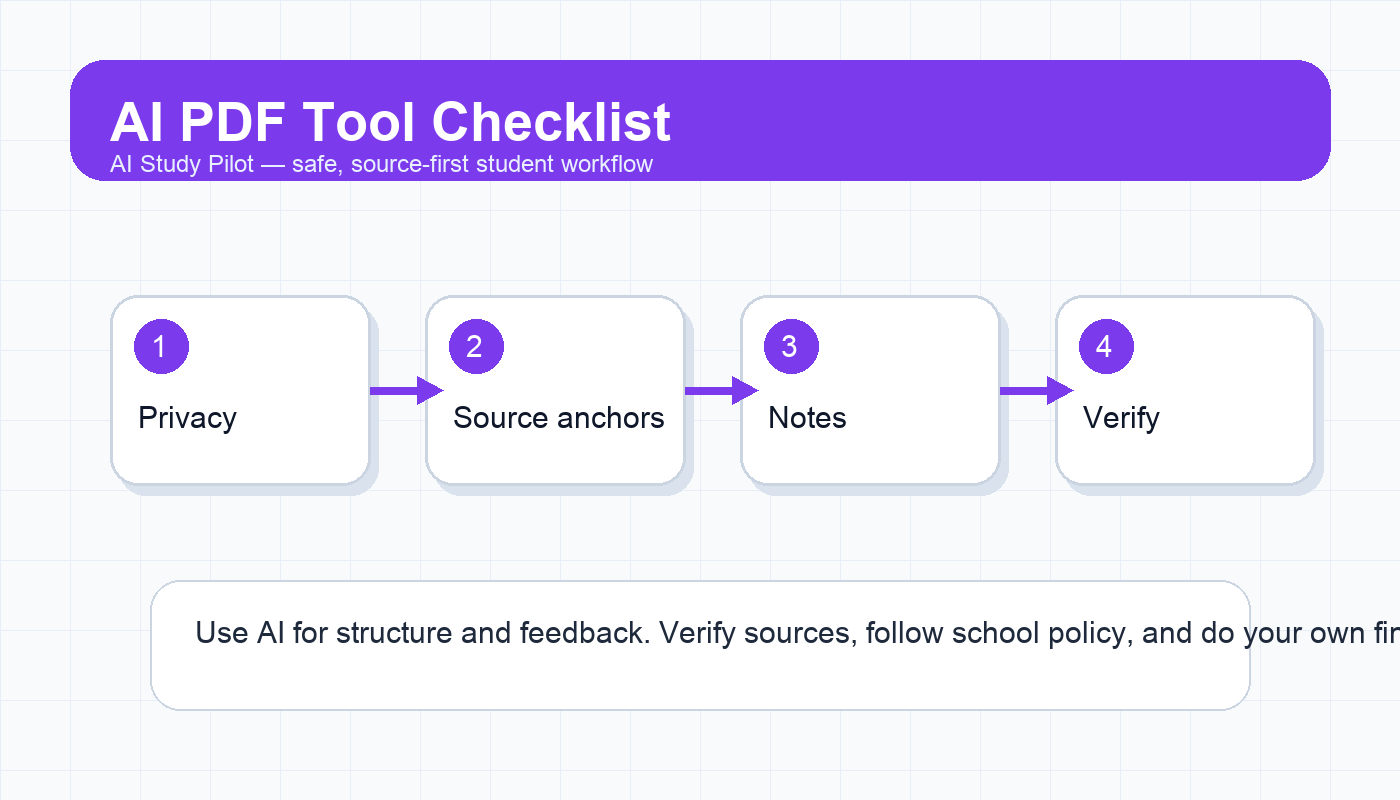
Quick answer
The best AI PDF tool for a student is the one that helps you understand a source while keeping the original document visible, citations checkable, and your private class data protected. Do not choose by hype alone. Choose by workflow: reading support, source-grounded answers, note extraction, citation checking, flashcard creation, or research synthesis.
A safe free-first setup is:
- Use your PDF reader or browser to skim headings, figures, and page numbers first.
- Use an AI tool only after you know what the document is and why you are reading it.
- Ask for page-referenced summaries, not unsupported claims.
- Verify important facts against the PDF before using them in assignments.
- Avoid uploading sensitive, confidential, or restricted class materials.
This guide does not rank tools by invented testing scores or quote plan limits that can change. Instead, it gives you a practical checklist for evaluating any AI PDF tool, including general chatbots that accept files, source-grounded research tools, notebook-style study tools, and built-in PDF features. For broader tool choices, see the best free AI tools for students and best AI research tools guide.
Affiliate and accuracy disclosure
AI Study Pilot may earn from affiliate links in the future, but this page is written free-first. Tool features, file limits, and plan names change often, so check the current official page before relying on any tool for a deadline. We do not claim hands-on lab testing unless a test is documented, and we do not promise grades or outcomes.
What “best” means for student PDFs
For students, “best” should mean safe, accurate, and useful for learning. A flashy summary is not enough. A strong AI PDF workflow should let you:
- see which parts of the PDF support the answer;
- ask follow-up questions without losing context;
- export notes or copy them into your study system;
- separate the author’s claim from the AI’s interpretation;
- identify uncertain or missing information;
- keep private material private.
If a tool gives confident answers but no way to check the source, treat it as a brainstorming assistant, not a citation source.
The free-first tool categories
1. General AI chat tools with file upload
Some general chat tools can process uploaded PDFs or pasted text. They are useful for turning a dense chapter into a study outline, generating recall questions, or explaining a difficult passage. Their weakness is that they may summarize too broadly, miss page-specific details, or blend your source with general knowledge unless you constrain them.
Best for:
- study outlines;
- concept explanations;
- practice questions;
- note cleanup;
- comparing your understanding with the text.
Use the AI PDF summarizer workflow if this is your main path.
2. Source-grounded notebook or document tools
Notebook-style tools are designed around uploaded sources and often make it easier to keep the PDF as the center of the conversation. They can be useful when a class has multiple readings and you want to ask questions across them. The key is still verification. A source-grounded interface reduces risk; it does not remove it.
Best for:
- class reading packets;
- lecture transcripts plus PDFs;
- multi-source review;
- generating study questions from assigned material.
See the NotebookLM class readings workflow and NotebookLM alternatives guide for related workflows.
3. Research and citation discovery tools
Research-focused tools can help you discover papers, compare claims, or understand where an idea fits in a larger literature. They are useful for early research, but they are not a replacement for reading the actual source. Always open the cited document, confirm the claim, and check whether the paper is relevant to your assignment.
Best for:
- finding background sources;
- checking whether a claim has support;
- building a literature map;
- comparing abstracts and methods.
Pair this with the source evaluation checklist before citing anything.
4. Built-in PDF readers and annotation tools
Do not ignore non-AI features. Highlighting, comments, search, bookmarks, page thumbnails, and split-screen notes often matter more than a chatbot. For many students, the best setup is a normal PDF reader plus occasional AI help for questions, outlines, and recall.
Best for:
- close reading;
- page-specific evidence;
- exam review;
- instructor-provided PDFs where uploading may be restricted.
Copy-ready prompt: evaluate a PDF tool before using it
I am choosing an AI PDF tool for student study. Help me evaluate it safely.

Tool name: [tool]
Use case: [summarize chapter / study research paper / make flashcards / compare sources]
Document type: [textbook chapter / journal article / lecture slides / public report]
Sensitivity: [public / class-only / private / restricted]

Create a checklist with:
1. What I should verify before uploading.
2. What questions I should ask the tool.
3. What output would be unsafe to trust without checking.
4. How to verify the answer against the PDF.
5. What I should do if the tool gives no citations or page references.
Student PDF tool checklist
Use this before trusting any tool:
- Can I keep the PDF open while reading the AI output?
- Does the tool show citations, snippets, page references, or source anchors?
- Does it admit when information is missing?
- Can I ask it to quote the exact passage it used?
- Does it preserve tables, figures, equations, or footnotes well enough for this assignment?
- Does the privacy policy and school policy allow this upload?
- Can I export my notes without losing page references?
- Is the free plan enough for my actual workload, or will I hit limits mid-deadline?
If any answer is unclear, use a lower-risk workflow: paste your own notes, paste a short excerpt, or ask for a generic study plan without uploading the document.
Safer prompts for PDF study
Use only the PDF text I provided. Summarize the main argument in 5 bullets. For each bullet, include the page or section that supports it. If the PDF does not support a bullet, write NOT FOUND.Create 10 active-recall questions from this PDF. Make the questions answerable from the source. Include the page or section where I can check each answer. Do not create questions from outside knowledge.I am confused by this passage. Explain it in simpler language, list any terms I should review, and identify what the passage does not answer. Do not expand beyond the pasted excerpt unless you label it as background.Common mistakes
- Trusting a summary without checking the PDF. Summaries can skip caveats, methods, or exceptions.
- Uploading restricted material. When in doubt, use your own notes instead.
- Asking for citations after the fact. Ask for source anchors from the beginning.
- Using AI to write the assignment. Keep AI in the study-support lane.
- Ignoring figures and tables. Many PDF insights live outside paragraph text.
FAQ
Is it okay to upload my textbook chapter?
Only if your access rights, school policy, and the tool’s terms allow it. If uncertain, paste your own notes or a short excerpt instead.
Can I cite an AI PDF answer?
Usually you should cite the original source, not the AI answer. Use AI to find where the source supports a claim, then verify and cite the source according to your required style. For AI citation rules, see the APA/MLA/Chicago AI citation guide.
What if the tool has no page references?
Use it only for broad understanding or rewrite the prompt to demand checkable support. If it still cannot provide support, do not use its answer in an assignment.
Final recommendation
Choose the PDF tool that keeps you closest to the source. Free-first is smart, but source-checking is non-negotiable: every important summary, quote, definition, and citation needs to survive a return trip to the original PDF.
Disclosure: AI Study Pilot may add affiliate links later. We recommend free-first tools where possible and never promise guaranteed grades or outcomes.