Practical workflow · Readings to calendar
Turn Class Readings Into Weekly Study Blocks With AI
Convert a reading list into realistic weekly study blocks without skipping the actual reading or losing academic integrity.
Quick answer
Use AI to organize class readings into weekly study blocks by giving it the reading list, due dates, class meeting days, and your available time. Ask for a plan that separates preview, focused reading, note cleanup, recall questions, and discussion prep. Then verify the page ranges, due dates, and priorities against the syllabus before you put anything on your calendar.
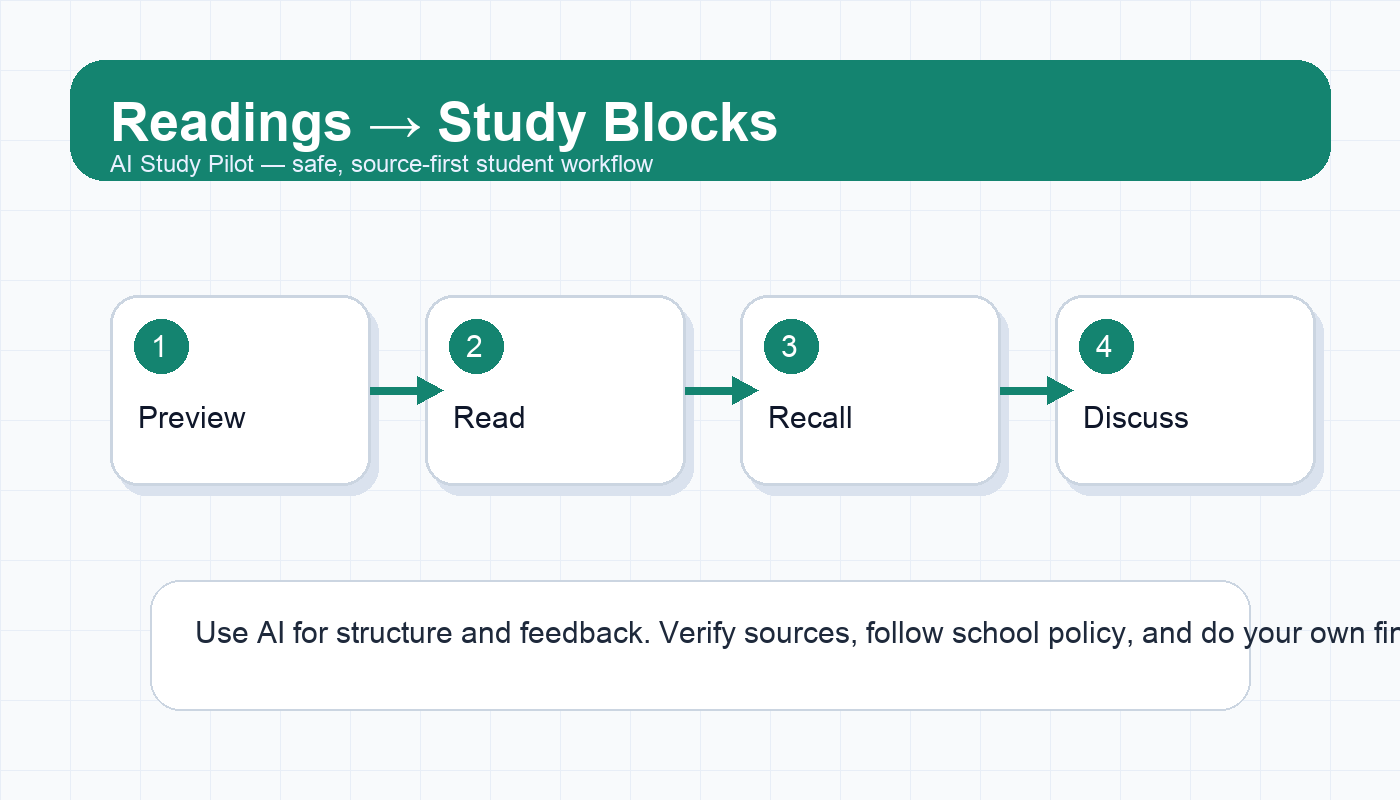
This is not a shortcut for avoiding the reading. It is a way to stop treating “read Chapter 6” as one vague task. A better plan turns each reading into smaller actions: preview headings, read the assigned section, write a three-sentence summary, create recall questions, and mark confusing points for office hours.
If your source is a PDF, pair this with the AI PDF summarizer workflow. If your course uses NotebookLM or source-grounded tools, see the NotebookLM class readings workflow. If you are building toward exams, connect the final output to the AI flashcards workflow.
Safety and integrity note
Reading support is usually safe when you do the reading, verify the output, and use AI for organization, questions, and clarification. It becomes risky when you ask AI to replace required reading, generate discussion posts you submit as your own, or summarize restricted material in a tool your school does not allow.
Use AI to ask better questions, not to pretend you completed work you skipped. Follow your syllabus, instructor policy, and the AI cheating guide if you are unsure.
Why reading plans fail
Most students do not fail reading-heavy courses because they are lazy. They fail because readings arrive as a pile of unshaped tasks. “Read 80 pages by Thursday” is hard to schedule. “Monday: preview headings and key terms. Tuesday: read pages 1-25. Wednesday: read pages 26-55 and write five recall questions. Thursday: skim notes before discussion” is much easier to execute.
AI is useful here because it can quickly restructure a reading list. But it needs constraints. Without constraints, it may create a plan that looks polished and ignores your real life. Tell it how many days you can read, how long each block can be, and which weeks are already crowded.
Copy-ready prompt: reading list to weekly blocks
You are my reading-planning assistant. I will paste a reading list for a class. Help me turn it into weekly study blocks.

Rules:
- Do not replace the reading with a summary.
- Do not invent page ranges, due dates, or assignment requirements.
- If information is missing, write CHECK SYLLABUS.
- Break long readings into realistic blocks.
- Include active recall and discussion prep.

My constraints:
- Class meeting days: [days]
- Reading days available: [days]
- Maximum reading block length: [minutes]
- Busy weeks: [weeks]
- Course goal: [exam, seminar discussion, paper, lab, etc.]

Reading list:
[paste readings / chapters / articles / dates]

Output a table with Week, Reading block, Purpose, Recall task, Discussion or assignment prep, and Risk note.
Step 1: label the purpose of each reading
Not every reading deserves the same treatment. Ask AI to label each item by purpose:
- background reading;
- core theory or concept;
- case study or example;
- method or procedure;
- evidence for a paper;
- discussion material;
- exam-heavy reading.
Then check whether the label makes sense. A two-page primary source might matter more than a long optional chapter. A dense theory chapter might need two shorter blocks. A case study might be best processed with a comparison chart rather than flashcards.
Step 2: make a preview block
A preview block is short: 10 to 15 minutes. The goal is not to understand everything. The goal is to create a map before you read.
Ask AI to help you preview by listing headings, repeated terms, likely argument structure, and questions to watch for. If you do not want to paste the text, paste only the title, abstract, table of contents, or your own notes. For textbooks, you can preview chapter headings and learning objectives.
Preview prompt:
Based on this title, headings, and course topic, give me a 10-minute preview plan. List 5 terms to watch for, 3 questions to answer while reading, and 2 places where students often get confused. Do not claim the reading says anything unless I pasted that text.Step 3: split long readings into blocks
A long reading block should end with a small output. Do not simply schedule “read.” Use outputs like:
- three bullet summary;
- five recall questions;
- one confusing passage;
- one quote or page reference for discussion;
- one connection to last week’s lecture;
- one possible exam question.
This keeps the reading from becoming invisible time. You can tell whether the block produced something useful.
Step 4: add recall questions
After each reading block, ask AI to create recall questions from your notes, not from thin air. If you paste your notes, tell the model to mark uncertainty. If you are using a source-grounded tool, still compare the questions to the reading.
Good recall questions ask you to retrieve and explain:
- What is the author’s main claim?
- What evidence supports it?
- What concept from lecture does this connect to?
- What would change if one assumption were false?
- What example could I use on an exam?
If you want a broader review system, use the AI weekly review routine.
Step 5: prepare for discussion without outsourcing your voice
For seminar or discussion classes, AI can help you prepare talking points, but you should not submit or read AI-generated discussion posts as if they are your own thinking. Use it to sharpen your questions:
Here are my own notes from the reading. Help me prepare for class discussion. Give me: 3 honest questions, 2 connections to prior course topics, 1 passage I should revisit, and 1 possible counterargument. Do not write a discussion post for me.This keeps the work in your voice and helps you show up prepared.
Weekly reading checklist
- Did I verify every date and page range?
- Did each reading block produce a small output?
- Did I mark confusing points instead of ignoring them?
- Did I create recall questions from my notes?
- Did I connect readings to lectures, assignments, or exams?
- Did I avoid pasting private or restricted class material?
- Did I leave one catch-up buffer before the next class?
Common mistakes
- Using AI summaries as a substitute for reading. You lose nuance and risk misunderstanding the course.
- Scheduling blocks that are too long. Dense reading usually needs shorter, focused sessions.
- Skipping page verification. AI can misread dates or page ranges.
- Not saving your own notes. You need evidence of your thinking for papers, discussion, and exams.
- Treating every text the same. A method paper, textbook chapter, and primary source need different approaches.
FAQ
Can AI summarize a reading before I read it?
A brief preview can help, but do not let it replace the reading. Use previews to know what to watch for, then read and verify.
What if I am behind?
Ask AI for a triage plan: required vs optional readings, exam-relevant sections, and the minimum ethical catch-up path. Do not ask it to fake discussion or assignment completion.
Should I paste entire books or articles?
Only if you have the right to use the material that way and the tool is allowed by your school. When in doubt, paste your own notes or short excerpts instead.
Final recommendation
Turn every assigned reading into a scheduled block with a visible output. AI can help shape the plan, but the learning comes from reading, recalling, questioning, and connecting the material yourself.
Disclosure: AI Study Pilot may add affiliate links later. We recommend free-first tools where possible and never promise guaranteed grades or outcomes.