AI math tools · Updated May 2026
Best AI Math Solvers That Explain the Steps Without Cheating
Learn how to use AI math solvers to understand complex calculations, learn formulas, and practice with hints instead of copying answers.

Use AI math solvers as step-by-step tutors to understand complex formulas, practice calculations, and test your math skills safely without crossing course boundaries.
Solving mathematics homework with AI can feel incredibly easy. With tools like Photomath, Microsoft Math Solver, and ChatGPT, you can take a picture of a calculus or algebra equation and get the final answer instantly.
However, copying answers from an AI tool is a high-risk action that leads to academic integrity violations and fails to prepare you for exams. The key is to shift your approach: treat AI as a math tutor that explains the underlying concepts, checks your steps, and guides you through calculations rather than solving them for you.
Quick answer
- Attempt the math problem on your own before opening any AI solver.
- If stuck, paste a similar practice problem, not the exact homework equation.
- Ask the AI to explain the core rule or theorem involved in the step.
- Input your math steps one by one to let the AI verify your logic.
- Use physical sketchpads or digital tablet stands to write out your own work.
Helpful sources behind this workflow
- CSUF University Learning Center: Mathematics Study Strategies
- University of Maryland Writing & Math Center: Working with Solvers
- Purdue OWL: Avoiding Plagiarism in Quantitative Subjects
Safe vs risky math solver prompts
- Target task: Algebra Equation · Risky prompt (Bypasses thinking): What is the value of x in 3x + 5 = 20? · Safer prompt (Interactive coaching): Walk me through the rules of isolating a variable in this type of equation.
- Target task: Calculus Derivative · Risky prompt (Bypasses thinking): Solve the derivative of f(x) = x^2 * sin(x). · Safer prompt (Interactive coaching): Give me one hint on which derivative rules (like product or chain rule) apply to this function.
- Target task: Error Checking · Risky prompt (Bypasses thinking): Solve this and tell me if my answer of 42 is correct. · Safer prompt (Interactive coaching): Here is my step-by-step work: [paste steps]. Check which line contains my calculation error.
- Target task: Formula Help · Risky prompt (Bypasses thinking): Write the quadratic formula and solve this problem. · Safer prompt (Interactive coaching): Explain the meaning of the discriminant in the quadratic formula and when to use it.
Step 1 — Try the problem on your own first
Opening a math solver immediately creates passive dependency. Spend at least 5 minutes drawing out the problem, listing what values you know, and identifying what formula you think applies. Even a failed attempt prepares your brain to receive and retain the AI's hints.
Step 2 — Ask for rules and theorems, not calculations
If you do not know where to start, ask the AI to summarize the mathematical rules that govern the problem.
I am learning how to solve [e.g., quadratic equations / integration by parts]. Do not solve any equations for me. List the standard step-by-step process and the main mathematical rules I need to follow.This ensures you are building a conceptual roadmap before performing any arithmetic.
Step 3 — Submit your steps for logic verification
Instead of asking the tool to produce the answer, write out your steps manually and ask the AI to check your work.
Act like a math tutor. Do not solve the problem. Look at my calculation steps below and identify:
1. The first line where a calculation error occurs.
2. The mathematical rule I broke in that step.
3. A hint to help me correct it.

My problem:
[paste problem]

My steps:
[paste your manual steps]
This method keeps the writing and thinking completely yours, mirroring our guidelines in How to Use AI for Homework Help Without Cheating.
Step 4 — Request a similar practice problem
If you are still confused after receiving a hint, ask the AI to generate a similar but completely different practice problem and walk through it step-by-step.
Generate a practice algebra problem that uses the same concepts as my homework, but with different numbers and variables. Walk me through the solution step-by-step, highlighting which formulas are used.Once you understand the practice walkthrough, close the AI chat window and solve your actual homework assignment on your own.
Common mistakes when using math solvers
- Mistake 1: Relying on photo-recognition solvers: Taking photos of assignments bypasses the vital process of translating written math concepts into structured equations in your own mind.
- Mistake 2: Ignoring domain constraints: AI tools sometimes solve math using methods that have not been taught in your class yet, which raises immediate flags for instructors.
- Mistake 3: Skipping calculations review: Even high-quality AI math tools can occasionally make simple calculation errors (hallucinations). Always re-run the final arithmetic on your own calculator.
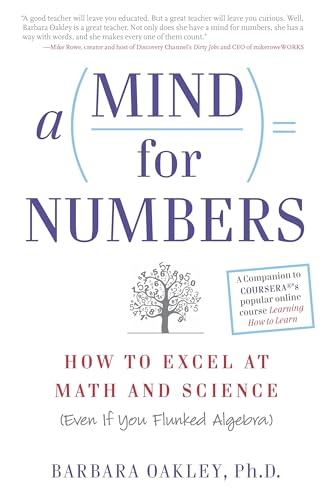
A Mind for Numbers: How to Excel at Math and Science
Dr. Barbara Oakley's actionable guide to unlocking analytical thinking. Perfect for students tackling STEM classes who want to beat procrastination and master complex formulas.
AI Study Pilot receives a small commission from qualifying Amazon purchases at no extra cost to you.Disclosure: AI Study Pilot may add affiliate links later. We recommend free-first tools where possible and never promise guaranteed grades or outcomes.